
SmartClub G1 · Smart Climate Scheduling
Smart Climate Scheduling
Comfort when people play. Setback when a space is empty.
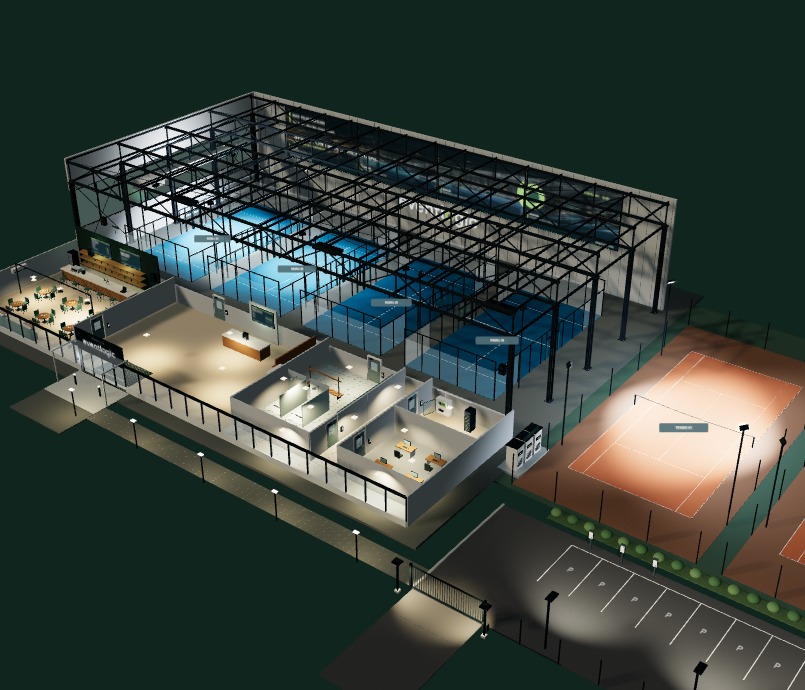
Smart Climate Scheduling extends SmartClub G1. It uses your booking schedule to prepare the climate systems at your sports venue, so a space is comfortable when players arrive without keeping empty hours at the same setting unnecessarily.
-
Comfort prepared in time
The booking schedule gives the system time to bring a space to its agreed temperature before players arrive.
-
Control the spaces in use
A booked hall does not automatically mean the whole building needs to stay at comfort level. Zones depend on your installation.
-
Measure as well as plan
Where sensors are connected, the control system can take current temperature, air quality and other conditions into account.
From booking to comfort
The space is ready when players arrive
SmartClub G1 retrieves the schedule from your connected club software. The climate control uses the booking time to plan ahead and starts according to the space and the installation.
-
Booking received
G1 knows which space is booked and when it will be used.
-
Prepare in time
Heating or cooling starts according to the configured lead time, giving the space time to reach its agreed comfort setting.
-
Respond to actual use
During use, connected sensors can provide additional information to the climate control.
-
Return to setback
After the final booking, the space can return to a lower setting within the limits of the building and its systems.
Example · a warm summer day
Keep the cool air in, and bring in fresh air when needed
A cool night can help pre-cool a sports hall. During the day, ventilation need not bring in more warm outdoor air than necessary, while air quality remains part of the control strategy.
-
The hall cools down
During a cool night, the hall is cooled according to its configured control strategy.
-
Retain the cool air
During the day, ventilation follows its agreed baseline and measured air demand to limit unnecessary outdoor air.
-
A booking begins
The schedule shows when players are expected; cooling and ventilation respond to the space and its configured targets.
-
CO₂ starts to rise
When air demand increases, a CO₂ sensor can prompt the system to supply more fresh air.
Air quality is never sacrificed to retain cool air. Minimum ventilation, thresholds and CO₂ overrides are agreed for the space, its use and its installation.
Extendable with measurements
The schedule is the starting point, not the only input
Sensors add current information. Which measurements can be used depends on the equipment and connections at your venue.
-
CO₂
Shows the system how air demand changes during use and can help adjust ventilation.
-
Temperature
Shows how indoor and outdoor temperatures develop relative to the configured targets.
-
Humidity
Can be included as an additional measurement when the sensors and climate control support it.
-
Weather station
Current outdoor conditions can add context when the building system is able to respond to them.
What can be controlled
Connect to the systems in your building
SmartClub G1 connects bookings to the available building controls. The connected control system operates the suitable equipment.
-
Heating
Prepare a booked space and return it to its agreed setback afterwards.
-
Cooling
Coordinate cooling with the booking and current conditions in and around the space.
-
Ventilation
Respond to use and measurements within the agreed air-quality limits.
-
Shading and more
Blinds or other building functions can also be included when the installation and connection support them.
Configured for each venue
Align comfort with the systems first
Every sports venue is different. Together, we map the schedule, zones and connected equipment.
-
Bookings and spaces
We check which information your club software provides and how courts, halls and zones are organised.
-
Installation and connection
The available heating, cooling and ventilation controls determine which commands are possible. Compatibility is assessed for each venue.
-
Settings and limits
Lead times, comfort targets, minimum ventilation and sensor responses are agreed with the installer or building manager.
Good to know
Will the space always be warm or cool when a booking starts?
The schedule can start the system in advance. The result depends on the space, outdoor temperature, capacity and settings; we agree on lead times for each venue.
Do I need CO₂ and other sensors?
No. Sensors are optional additions, not a requirement for every setup. Measurements and responses are only available when the sensor and connected control system are compatible.
Will it work with our existing installation?
We assess this for each venue. SmartClub G1 provides booking information to the connected building controls; the available signals and equipment determine what can actually be controlled.
What happens if the internet connection drops?
Received bookings remain available locally on SmartClub G1. New or changed bookings arrive after the connection is restored. Further operation depends on the locally configured building controls.
What suits the climate in your club?
Together, we can review your spaces, booking information and existing equipment, and see how SmartClub G1 can connect to them. No standard savings promise, just a focus on comfort and air quality.