
SmartClub functions
Lighting
Light that follows the booking.
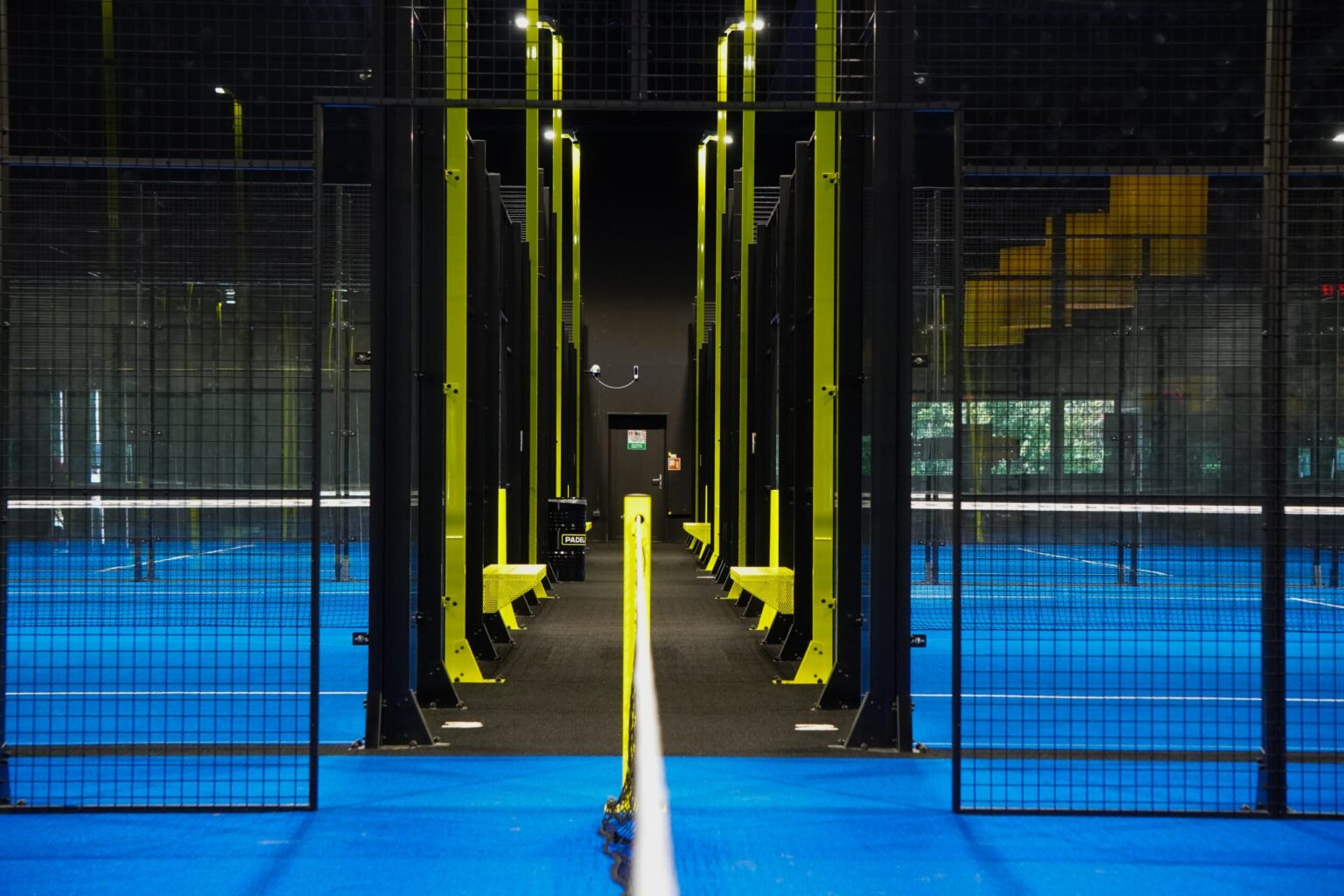
Let your court lighting follow your bookings automatically. Light where people play, fewer unnecessary operating hours and control that stays with you as the club manager.
-
Less unnecessary lighting
The schedule determines which court is lit and when the lights switch off again.
-
Less manual work
Bookings control the lighting. You no longer need to switch every court yourself.
-
Stay in control
Use the app to control your lighting and temporarily override the schedule when needed.
From booking to court lighting
The right light, at the right time
SmartClub G1 retrieves bookings from your club software automatically and synchronises changes and cancellations. Start and end times and the assigned court or zone form the basis for lighting control.
-
Dimmed
Before the booking
Set a lead-in time so players do not arrive in the dark. Compatible dimmable lighting can operate at a lower level during this period.
-
Playing level
During play
At the start time, the booked court switches to the configured playing level. Not every court needs to be illuminated at once.
-
Dimmed
After the booking
An adjustable run-on period gives players time to leave the court. Dimmable lighting can return to a lower level.
-
Off
Then off automatically
The lighting switches off after the run-on period. For consecutive bookings, we configure the transition to suit your club.
Central management
Control in one app
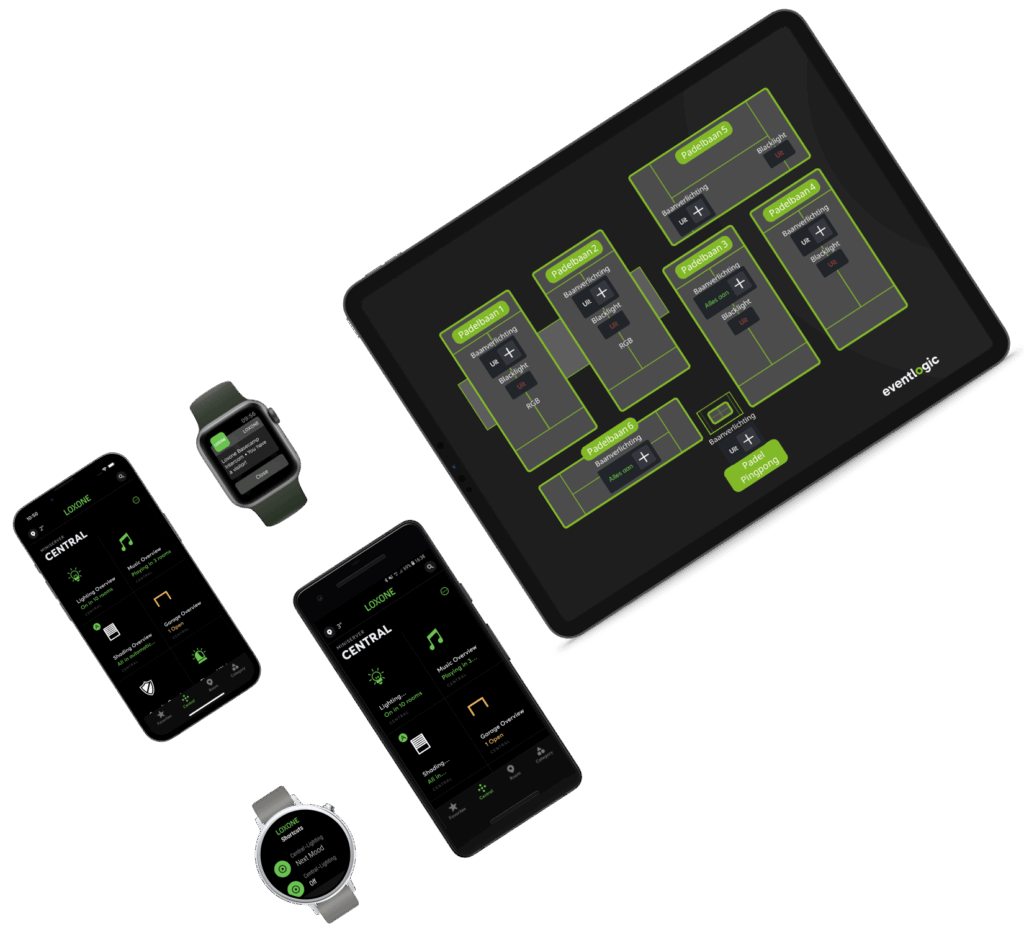
The daily schedule runs automatically. Use the central app for visibility and exceptions, on site or remotely. Your club stays in control without searching for a separate switch for each court.
-
Your club on a floor plan
View and control connected courts and zones on an interactive floor plan tailored to your venue.
-
Temporary manual control
An administrator can switch the lighting manually for maintenance, an event or another exception. The controls then return to the schedule automatically.
-
More than lighting
Control connected access and climate systems from the same app.
Configured for your venue
You set the times and light levels
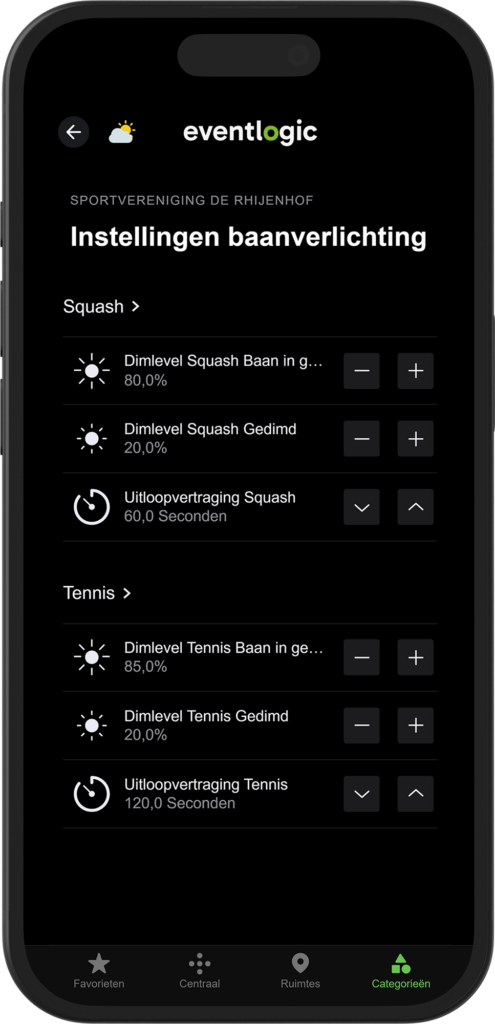
The administrator can adjust lighting settings through the app. Together, we configure controls for your courts, usage and installation, so automation does not mean losing control.
-
Lead-in and run-on times
Align switching times with arrival and departure. Avoid leaving a court lit unnecessarily before or after play.
-
Playing and dimmed levels
With dimmable lighting, set the playing level and the lower level. Appropriate lighting must match your installation and the requirements of your sport.
-
Settings per court or zone
Configure different playing areas to match their use. Booking types such as training, competition or maintenance can be considered if your club software provides this information.
Designed around your situation
Switching, dimming or both
Eventlogic connects the booking schedule to lighting controls through SmartClub G1. We first review your existing lighting and wiring. Smart control does not automatically mean replacing every luminaire.
-
On and off with relays
Relays switch the lighting of a court or zone on and off. This suits non-dimmable lighting or situations where on/off is sufficient. The electrical connection is designed around the installation.
-
Dimming with DALI
DALI enables dimming with compatible luminaires and drivers. It allows different levels for the lead-in period, play and the run-on period. We check compatibility beforehand.
-
Different courts, one schedule
Relays and DALI can be combined in one project. The number of courts, zones, relays and DALI drivers determines the modules and commissioning required.
Save energy
Lights that only burn when people play
How much you save depends on how the lights are switched today. With lighting management the lights follow the bookings: on at the start, off at the end. Three familiar situations at a club with 8 courts:
-
Lights on from opening to closing
The courts are lit all day, even when no one is playing.
€27,221 saving per year
- Less electricity
- 55%
- Paid back in
- ± 3 months
-
On at the first booking
The lights go on for the first player and stay on until closing time.
€15,591 saving per year
- Less electricity
- 42%
- Paid back in
- ± 5 months
-
Switched by hand
Someone switches around every booking, but often on too early and off too late.
€6,403 saving per year
- Less electricity
- 23%
- Paid back in
- ± 14 months
Investment€5,805 one-off + €128 per month
This is the investment for lighting control only on these 8 courts, with one relay per court, at our current prices. It is the same for all three situations.
Example with 8 courts of 3 kW and €0.35 per kWh; the payback time includes the monthly fee. We make a tailored calculation for your club.
Calculate your savingsDutch energy-saving obligation If your club uses more than 50,000 kWh of electricity or 25,000 m³ of natural gas a year, you must take measures that pay for themselves within five years. Lighting that switches on bookings counts as control based on use, a measure on the Dutch Recognised Energy Saving Measures List (EML). Read more at RVO
Good to know
Does this work with our club software?
SmartClub G1 automatically retrieves bookings, changes and cancellations from the connected club software. Your lighting follows the current schedule without manual transfers. Our integration directory lists supported club software and the functions available through each integration.
View all integrationsCan we keep our existing lighting?
Yes. Eventlogic supports all common lighting control methods: DALI and relays, wired and wireless. Relays switch the lighting on and off; DALI also controls dimming levels. There are many more possibilities, including 0–10 V, DMX and other control methods. We advise you on the approach that suits your existing lighting installation.
What happens if the internet goes down?
The received schedule remains available locally on SmartClub G1. New bookings, changes and cancellations arrive again after the connection is restored. Remote operation requires an internet connection.
How much could our club save?
That depends on lighting power, occupancy, your electricity rate and current operating hours. Use the savings calculator to estimate savings for your club. A personal calculation uses your actual installation and usage data.
Calculate your savingsWhat could smarter lighting do for your club?
Compare your current operating hours with booking-controlled lighting. Or configure your lighting management and explore pricing and an approach that suit your club.