Skip to content

SmartClub functions

Access

The right person. The right door. The right time.

Let players enter independently while you stay in control. SmartClub connects bookings and membership rights to the doors, gates and spaces at your club.

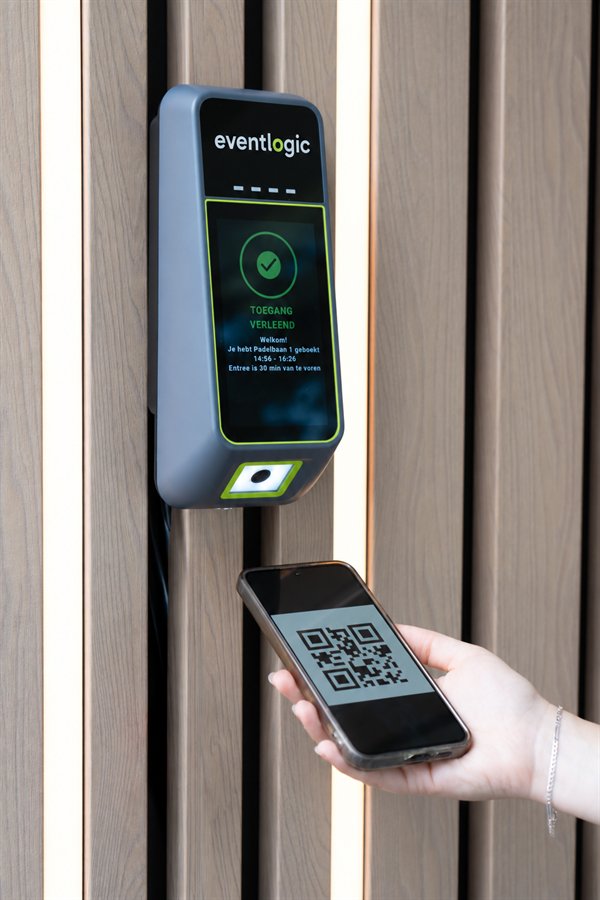
A player scans a QR code at a wall-mounted SmartClub Entry; the display shows access granted
  • Independent entry

    Players use their QR code, PIN or card. You no longer need to open the door for every booking.

  • Less key management

    Give members, staff and suppliers their own rights without passing physical keys around.

  • Stay in control

    Decide who can open each door and when, and manage connected access through the app.

From booking to access

Your schedule reaches the door

SmartClub G1 automatically retrieves bookings, changes and cancellations from your connected club software. Members and their access credentials are also synchronised when the software connection supports member integration.

  1. Your club software

    A player books a court, or a member has a valid subscription.

  2. SmartClub G1

    Rights become available locally at the club, with the correct time window and zone.

  3. Check at the entrance

    The access system checks the card, PIN or QR code and its associated rights.

  4. Door or gate opens

    Valid access releases the door. Outside the permitted time window, it stays closed.

Who, where and when

Access rights that fit your club

Set access by role, time window and zone: from the main entrance and changing rooms to a particular hall, court or gate. A booking and a membership can each have their own access times.

  • Players and members

    An individual booking grants access around the playing hour. Members enter according to their subscription and configured days, times and spaces.

  • Coaches and staff

    Coaches can access their training space and staff the areas they need. A junior subscription can have different times from an adult membership.

  • Cleaners and suppliers

    Grant access on agreed days within a separate time window. Visitors can enter without a member of staff waiting to let them in.

Access at your venue

Existing installation or new readers: choose what fits

You do not need the same reader everywhere. An existing system, NFC Code Touch panels and SmartClub Entry can work alongside each other and follow the same club schedule.

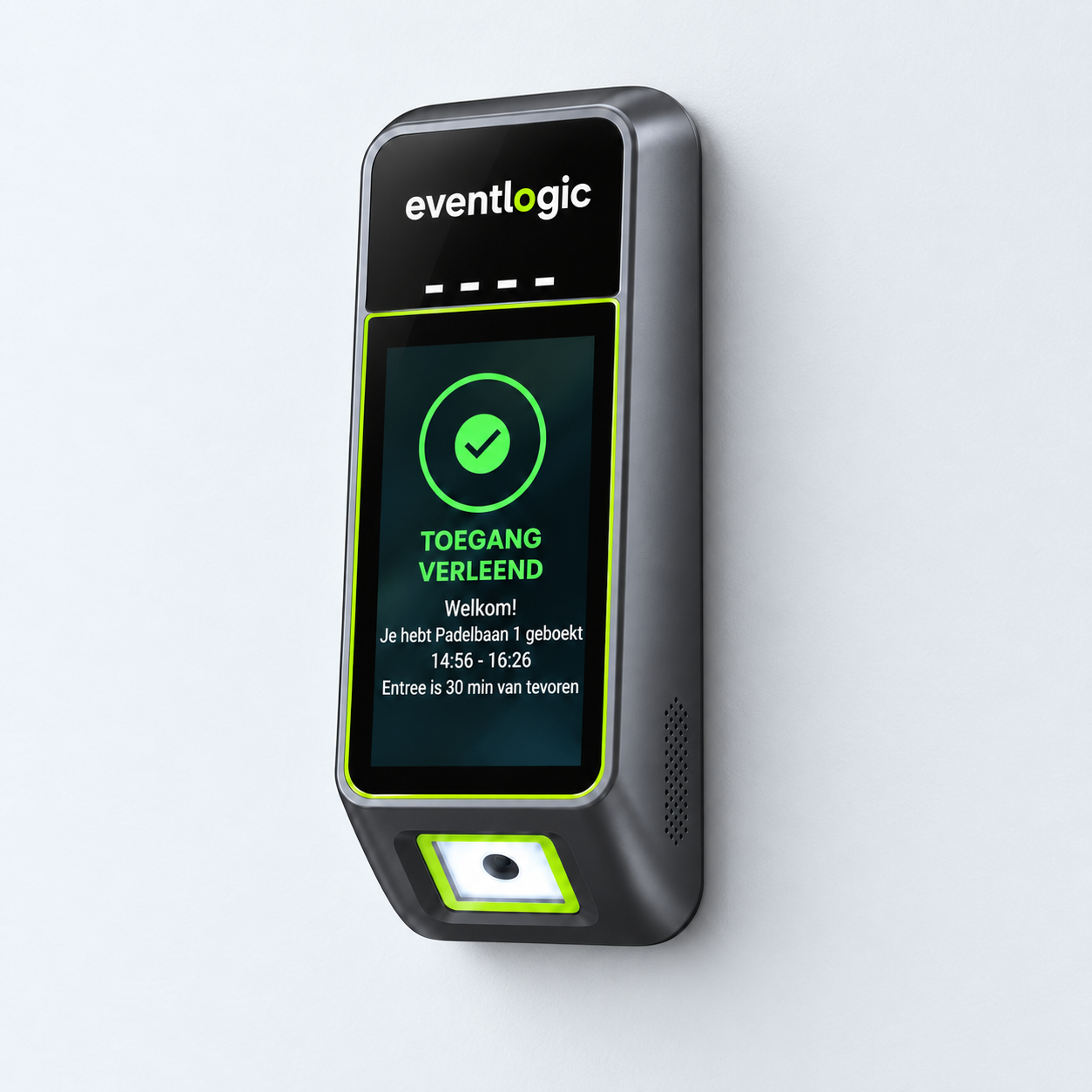
SmartClub Entry indoor wall version with display and QR reader

QR, PIN and NFC in one reader

SmartClub Entry

Players scan the QR code from their booking, enter a PIN or present an NFC card. SmartClub Entry checks their rights and provides an immediate answer: green for access, or an on-screen message when they cannot enter yet.

  • Bookings and members

    A booking or membership determines access. You choose the times, zones and optional usage limits.

  • Indoors, outdoors or on a pole

    Choose the version for the location where players arrive. Entry can operate its own door through its internal relay.

  • A visible answer

    The screen explains why a scan is valid or invalid. This reduces questions about early arrivals or expired codes.
Explore SmartClub Entry
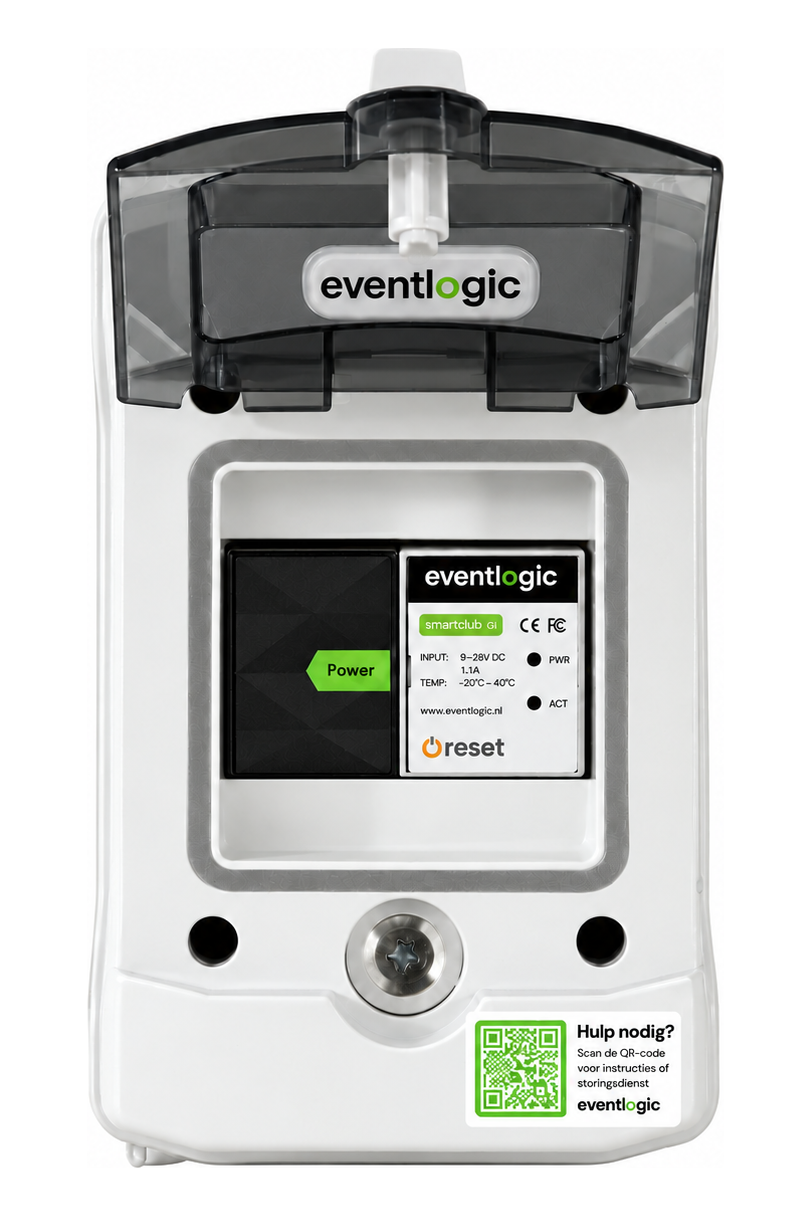
Open installation cabinet containing SmartClub G1 for integration with an existing access installation

Connect your existing system

Smart access without replacing everything

SmartClub G1 connects your current access system to your club software. Paxton Net2, Axema VAKA and Loxone are a selection of our integrations. Existing readers continue to control access, while bookings and rights are transferred automatically.

  • Keep your current readers

    The connected installation continues to operate doors and gates with existing credentials.

  • Transfer bookings automatically

    New bookings, changes and cancellations are synchronised without maintaining a second schedule.

  • Get started together

    We connect the software, configure your club and bring access into use together.

View all integrations
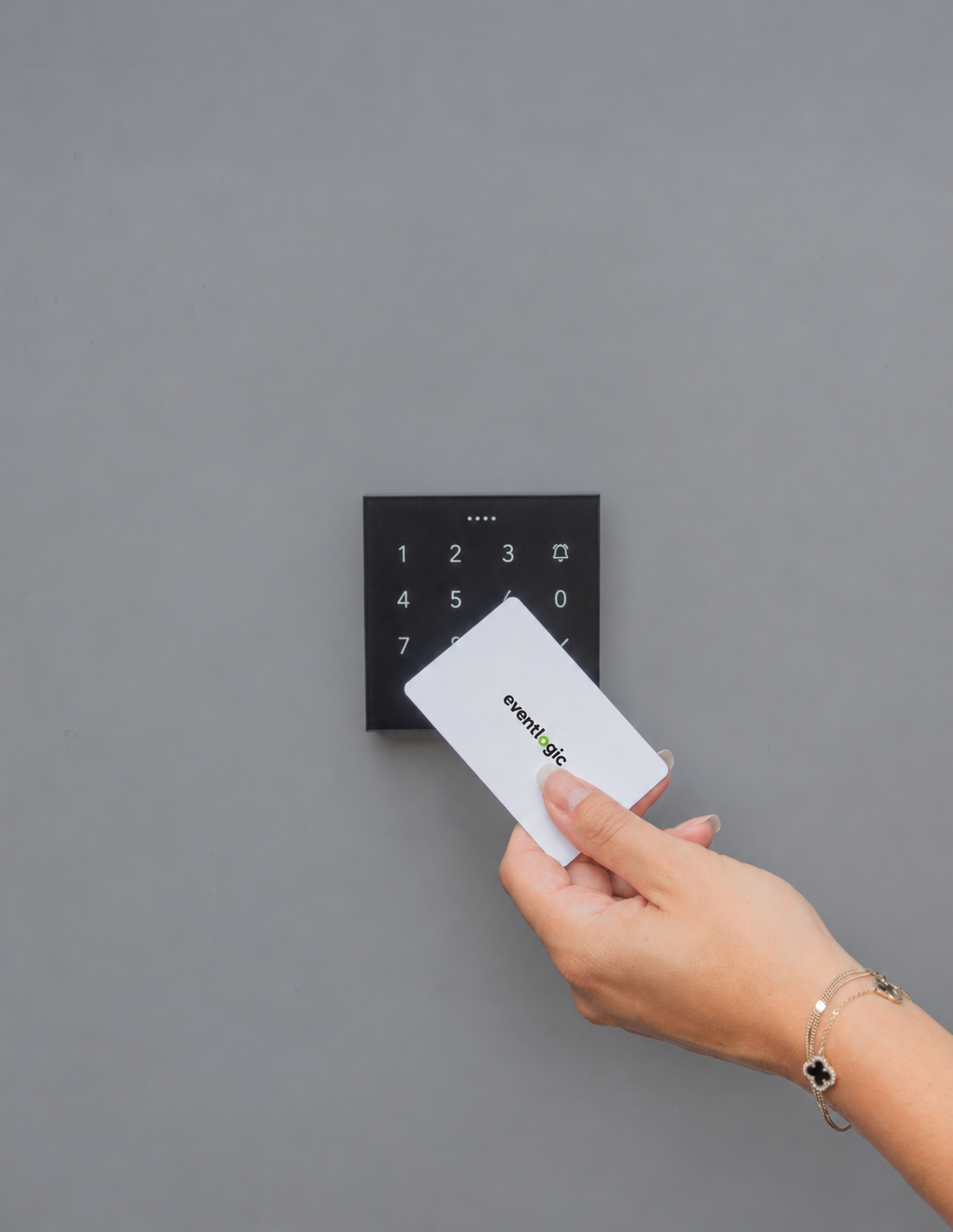
An Eventlogic NFC card is presented to a Loxone NFC Code Touch panel

NFC and PIN at the door

NFC Code Touch panels

A Loxone NFC Code Touch panel lets visitors present an NFC card or fob, or enter their PIN. It suits doors, gates and spaces where you want access control without a QR scanner.

  • A panel where you need it

    Install panels at the entrances and spaces you want to control. A rain cover is available for outdoor placement.

  • Door or gate through a relay

    The code or card determines the access right; a relay releases the connected door or gate electrically.

  • For your staff too

    We configure PIN/NFC, staff permissions and emergency codes, and connect the panels to SmartClub G1 and your club software.

Configure your access

A credential for every visitor

Card, PIN or QR code

Choose credentials to suit your visitors and the readers at your club. The credential identifies the right; the time window and zone determine where and when someone can enter.

  • NFC card or fob

    A familiar choice for regular members and staff. Use NFC at Code Touch, Entry or your connected existing readers.

  • PIN

    Useful for visitors without a card. A PIN can be assigned to a booking or role and is checked within the configured time window.

  • QR code

    Players bring the code on their phone and scan at SmartClub Entry. You can set how many times the same booking code grants access.

Getting the code to the player

Your club software or Eventlogic Accessprovider

Visitors need to receive the correct QR code or PIN. Choose who provides it, separately from which reader opens the door.

  • Through your club software

    Does your booking package provide access credentials? Players receive them through that software. SmartClub uses the associated booking and rights for checks at the door.

  • Through Eventlogic Accessprovider

    Four hours before the booking, Eventlogic emails the player both a QR code and PIN. Choose this when your club software does not supply them. The software must link the player's email address and phone number to the booking.

Explore options and pricing

More control over independent use

Visits, usage limits and occupancy

SmartClub Entry can do more than open a door. Decide how often a booking code works, how many visits a subscription includes and how many people can use a space at once.

  • Limit QR code usage

    A booking for four players can allow four scans. A forwarded code cannot be used indefinitely, and the access time window still applies.

  • Visits and multi-visit passes

    Allow unrestricted access within the member's rights or set a number of visits per month. Each registered scan counts towards the selected limit.

  • Register entry and exit

    Readers at entry and exit track registered occupancy. A turnstile or suitable door controller can help manage physical access.

  • SecureQR

    This extra option rapidly refreshes the QR code in the app, making a screenshot outdated quickly. SecureQR works with club software that supports this function.

More about Entry's capabilities

The club manager stays in control

Central management beyond reception hours

The schedule handles daily access. Use the central app to maintain visibility and operate connected doors and facilities, on site or remotely.

  • Remote opening

    Authorised staff can open a connected door remotely through the central app.

  • Access and lighting together

    The same booking can control access and court lighting. Other connected building functions can also follow the schedule.

  • Keep working locally

    Received bookings and rights remain available locally during an internet outage. New bookings, cancellations and changed rights arrive after connectivity is restored. Power and a working local network are still needed.

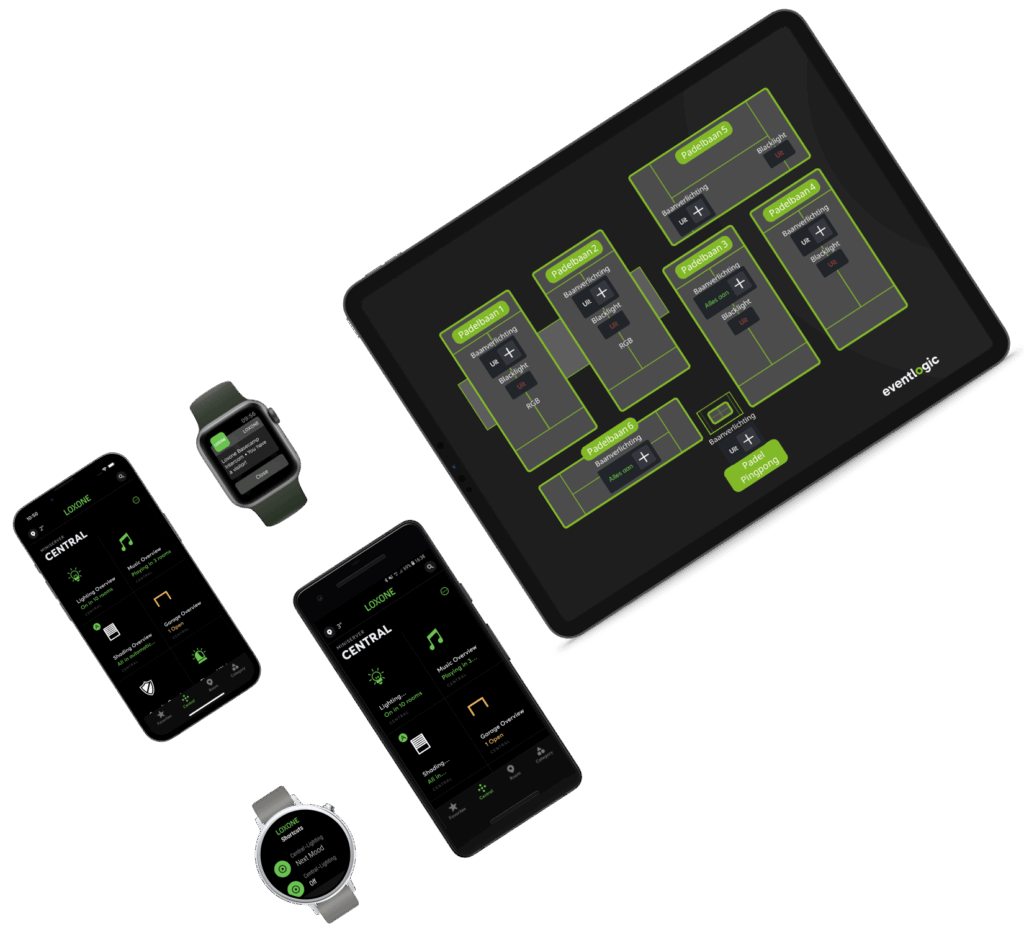
Central app on phones, watches and a tablet with an interactive club floor plan

Good to know

Does this work with our club software?

The integration directory lists connected club software and the functions available through each integration. SmartClub synchronises bookings automatically; members and their rights are included when the software supports member integration.

View all integrations
Can Entry, panels and our existing system work together?

Yes. Use SmartClub Entry at the main entrance, NFC Code Touch at other doors and continue using a connected existing system. The selected entrances follow the same club software and access rules.

Is a scan the same as attendance?

A scan registers the use of a credential. Occupancy requires both entry and exit registration. An open door does not automatically stop someone following another visitor; physical access control, such as a turnstile, is part of the setup.

How do we start, and what does it cost?

Choose an existing system to connect, new panels, Entry or a combination. Configure entrances and club software in the pricing tool and view your proposal. Advice for additional requirements is included in your proposal.

Pricing & ordering

Who can enter which spaces at your club?

Discuss your club software, entrances and access rights. Or configure access directly and explore pricing and the approach.