
Lighting that follows each booking
A match, training session and recreational game do not need the same light. Configure scenes in advance with a suitable dimming level and field zone, within the requirements of the lighting plan.
SmartClub G1 retrieves the booking schedule and Eventlogic connects it to the configured field controls. If the club software also provides the activity type or field section, the matching scene can follow it. Otherwise, a manager can choose the required scene or zone.
From booking to field lighting
The schedule provides the time and, where available, the activity type and field section. The local setup determines which scene applies and which luminaires provide the light.
This is a conceptual flow, not a live connection overview. The integration, luminaires and scenes are assessed for each field.
-
Club software
Provides bookings and, where available, the activity type or field section.
-
SmartClub G1
Retrieves the schedule and connects it to the configured field controls.
-
Casambi Long Range
Connects suitable luminaires and drivers wirelessly, per luminaire or configured zone.
-
Dimmable luminaires
Apply the selected scene when the luminaire and driver support it.
How Casambi Long Range forms a mesh across the site
Casambi Long Range devices can form a mesh network. In this concept, each luminaire has a compatible Casambi node that can receive and relay messages to other nodes, allowing communication to pass through multiple luminaires.
The nodes form one connected network. A message can pass through several nearby nodes and take another route; each luminaire does not need a direct link to every other one. The dotted lines show possible connections, not a coverage plan. Distance, obstacles and site layout affect actual radio coverage.
Use less energy by lighting only the area needed
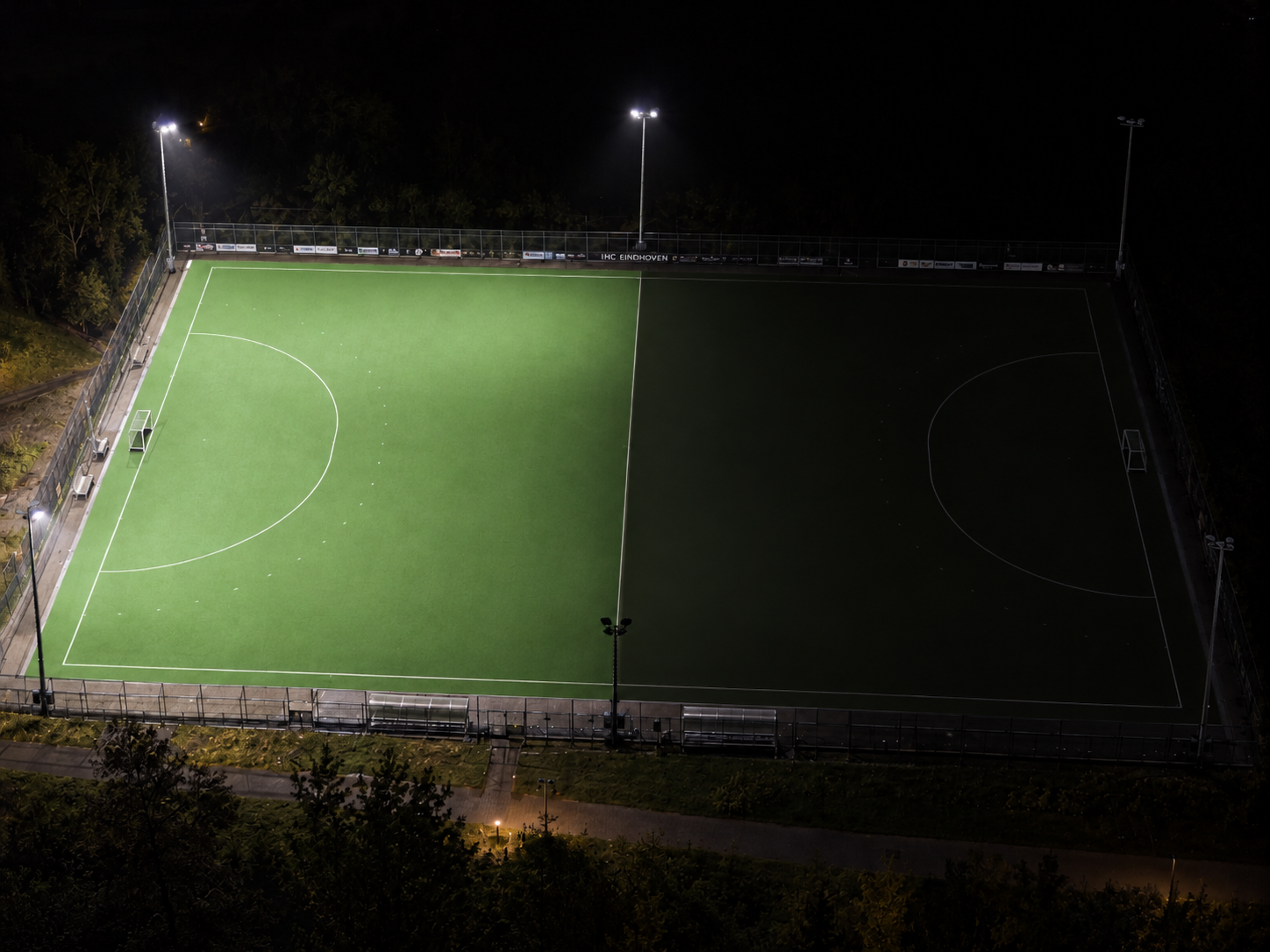
If a training session uses only one half of the field, the other half does not need to be lit. Combine the active zone with a preconfigured dimming scene for matches, training or recreational play.
Switching off unused luminaires and dimming to a suitable level can reduce energy use compared with lighting the whole field at full output. Savings vary by installation, scene and operating hours; these are zone examples, not a calculation or guarantee.
-
Match
Full field
The full field is available at the configured match scene.
-
Training
Half field
A training session can use a preconfigured half-field zone.
-
Skills practice
Quarter field
A small football or hockey drill can use a quarter-field zone.
Choose the light level for each activity
Scenes are configured in advance for the sport, zone and activity. The suitable level must follow the lighting plan and requirements for the site; a dimming setting alone does not prove uniform or standards-compliant lighting.
-
Matches
Use the configured scene for the agreed match level and active field zone.
-
Training
Choose a training scene and light only the field area configured for the session.
-
Recreational play
A dedicated scene can match the light level to recreational play when the luminaires and lighting plan allow it.
-
Managers stay in control
A manager can make an exception through the Eventlogic app. Remote control requires an internet connection.
Start with the existing installation
This is especially relevant when lighting is already in place, or is being renewed without cabling for individual control. The lighting installer maps the luminaires, drivers, wiring and existing on/off controls with the club, then assesses what is needed for per-luminaire dimming or field zones.
-
Wiring and existing controls
Some installations can only switch all lighting on or off centrally. The lighting installer works with the club to assess how the required luminaire and zone controls can be implemented.
-
Plan with the installer
When lighting is replaced or renewed, the desired controls can be included in the lighting and wiring plan. The installer assesses luminaires, drivers and the Casambi equipment required.
-
Field zones and mesh
Casambi nodes in compatible luminaires can relay messages across a mesh network. The installer determines their placement and checks the connection for the specific site.
-
Schedules and internet
Available activity and field-zone data vary by club software. SmartClub G1 keeps the schedule it has received locally; new changes and remote control require a connection.